
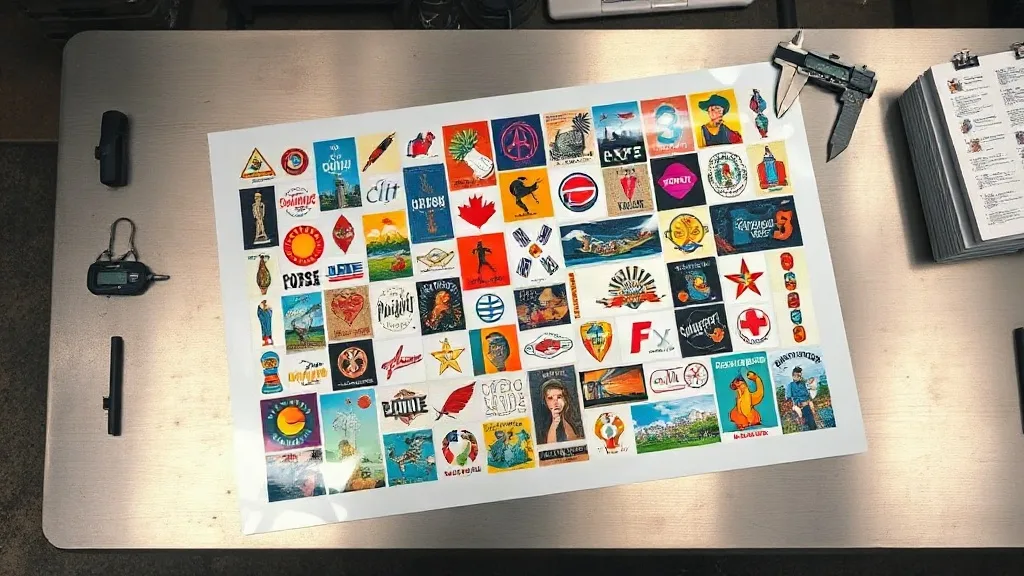
Most print shops that switch to direct-to-film transfers notice the same thing in the first month: the transfers look great, but the invoice for film and powder climbs faster than expected. The fix usually isn't a new printer or a cheaper supplier. It's how the artwork gets arranged on the sheet. A DTF Gangsheet is the single biggest lever you control over your cost per piece, and getting it right is more about arithmetic and layout discipline than about fancy software.
What a Gangsheet Actually Is (and Why It Changes Your Numbers)
A gangsheet is a single large film layout that holds many individual transfer designs, printed in one pass and cut apart afterward. Instead of running one small design at a time, you fill the printable width and length with as many jobs as will fit, then send that one composite file to the printer.
The economics are straightforward once you see them laid out. Every print run carries fixed costs: a stretch of film, a set amount of powder, a warm-up cycle, operator attention, and a certain amount of waste at the start and end of the roll. Spread those costs across forty small designs instead of four, and the per-design share drops sharply. That is the whole mechanism. Nothing magical happens inside the printer.
The three costs that shrink
- Film waste. Narrow jobs leave unused margins. A well-packed sheet uses the full width, so the offcut you throw away shrinks.
- Powder and ink overhead. Setup consumption is roughly constant per run, so more designs per run means less overhead per design.
- Labor time. Loading, unloading, and curing are per-sheet tasks. Fewer sheets for the same output means fewer touches.
What does not shrink is the ink and powder consumed by the artwork itself. A design that covers 30 square inches still covers 30 square inches whether it sits alone or on a crowded sheet. This is why shops sometimes feel disappointed: they ganged the layout but kept printing the same total area, so the savings looked small. The gain comes from eliminating empty space, not from printing less ink.
Building a Sheet That Actually Pays Off
The layout work is where most of the money is won or lost. A few habits separate sheets that save 20 to 30 percent from sheets that save almost nothing.
Start from the roll width, not the design list
Measure the true printable width of your film, then build columns against that number. If your roll gives you 23 inches of usable width, a row of designs that sums to 22.5 inches is a good row. A row that sums to 18 inches is a 4.5-inch strip of pure waste running the entire length of the sheet. On a two-meter sheet, that strip alone can cost more than the ink for several small designs.
Group by ink coverage, not by customer
It is tempting to organize sheets by order or client so packing is easy. Resist that. Group designs with similar ink density together so the curing step behaves consistently across the sheet. A sheet that mixes a heavy full-bleed photo panel with thin line-art logos can cure unevenly, and uneven curing shows up later as cracking or poor wash durability on the dense areas.
Leave real spacing for cutting
Designs need a gap between them, typically a few millimeters, so the cutter has room and the powder does not bridge across edges. Cramming designs flush against each other to squeeze in one more unit often produces ragged edges and reprints. A reprint costs more than the sliver of film you saved. Build the gap into your template once and reuse it.
Nest shapes where it makes sense
Rectangular layouts are fast but leave triangular dead zones. If you print a lot of non-rectangular artwork such as arched lettering or badge shapes, rotating and nesting pieces can recover meaningful area. This is worth the extra layout time on high-volume runs and usually not worth it for a handful of pieces.
Common Mistakes That Quietly Eat the Savings
Even experienced operators lose margin to a handful of repeat offenders. Watch for these.
- Printing a sheet before the order is confirmed. A gangsheet full of speculative designs is the most expensive kind of inventory, because film has a shelf life and powder pickup degrades over time.
- Ignoring the leader and trailer. Most printers need blank film at the start and end of a run. If your layout template does not account for it, the last row gets clipped or the first row prints poorly.
- Mixing garment colors on one sheet without a plan. The transfer itself is color-agnostic, but your pressing workflow is not. Sheets sorted by destination garment color reduce sorting errors at the press.
- Letting the sheet get too long. Very long sheets are harder to handle, more prone to wrinkles during powder application, and riskier if something goes wrong midway. Two moderate sheets often beat one enormous one.
- Skipping a test press. A new layout with unfamiliar ink coverage deserves one press test on scrap fabric before the whole run goes to production.
How to Measure Whether It Is Working
You cannot improve what you do not track. Pick two numbers and log them for a month: cost of consumables per finished transfer, and percentage of printed area that ends up as sellable product. The second number is the honest score for your layout discipline. If it sits below roughly 85 percent, your template has room to improve before you touch pricing or suppliers.
Keep a simple log of sheet dimensions, number of designs, and any reprints. After a few weeks, patterns appear. Maybe your Friday sheets are consistently underfilled because they are rushed. Maybe one product line always triggers edge defects. Those patterns are where the next round of savings lives.
Frequently Asked Questions
How many designs fit on a typical DTF gangsheet?
There is no fixed number, because it depends entirely on design size and roll width. A sheet packed with small chest logos can hold dozens of pieces, while a sheet of large back prints might hold only a few. The useful way to think about it is printable area: divide the usable sheet area by the area of one design, then subtract your spacing and cut gaps.
Does ganging designs together affect transfer quality?
The transfer quality of each design is the same as if it were printed alone, provided the sheet cures evenly and the spacing is adequate. Problems arise when a sheet mixes very different ink densities or when designs are packed so tightly that powder bridges between them. Keep consistent spacing and group similar coverage, and quality holds up.
Can I reuse a gangsheet layout for future orders?
Yes, and you should. Save your layout as a template with the correct roll width, spacing, and leader margins already set. Reusing a proven template removes the most common source of layout errors and makes it fast to fill a sheet when a repeat order comes in.
Is it worth ganging a very small order?
Usually not on its own. If you only have three or four small designs, the setup overhead dominates and the savings are marginal. The better approach is to batch small orders together across a day or two so the sheet fills up, as long as you are not holding printed film long enough for it to degrade.
What is the biggest single mistake with gangsheet layouts?
Leaving unused width. A layout that fills only part of the printable roll width wastes a continuous strip for the entire length of the sheet, and that waste is often larger than the ink cost of several designs combined. Measure your usable width, build columns to that number, and check the total before printing.